Rayan Farouk
A patient wants to book a dental appointment. They visit your clinic’s website, find your WhatsApp number and send a message asking about the next available slot. Another patient calls the reception desk, while an existing patient prefers using a mobile application to arrange a follow-up.
All four patients have the same goal: securing an appointment. However, if each booking channel operates separately, your reception team could end up managing several calendars, checking different inboxes and manually updating appointment records.
This is a common challenge for healthcare facilities adopting digital booking options. Patients increasingly expect convenient ways to access healthcare, but offering more booking channels does not automatically make appointment management easier.
For clinics in the UAE, the goal should not be to choose between website booking, WhatsApp or mobile applications. It should be to make all these channels work together.
A connected clinic appointment management system allows patients to book through their preferred channel while ensuring that every confirmed appointment reaches one central calendar.
Let’s explore how these booking channels work, what patients expect from each one and how clinics can bring them together.
Why UAE Clinics Need Multiple Appointment Booking Channels
The UAE has a highly connected population, and digital access is an important part of everyday life. According to DataReportal’s Digital 2026 report, internet penetration in the UAE reached 99% at the end of 2025.
This level of connectivity creates an opportunity for healthcare providers to make appointment booking more accessible. Patients can search for nearby clinics, compare doctors, ask questions and arrange appointments without necessarily making a phone call.
However, patients do not all follow the same booking journey.
Some prefer visiting a clinic website to explore its services and doctors before making a decision. Others would rather send a quick WhatsApp message. Existing patients may prefer a dedicated application or patient portal where they can manage their appointments.
A clinic that depends on only one booking method may create unnecessary barriers for patients who prefer another.
Offering multiple channels can improve accessibility, but it also introduces an operational challenge. Without a connected system, each channel can become another place where appointment requests need to be monitored and processed.
The solution is to provide different booking experiences while maintaining one reliable source of appointment information.
1. Website Booking: The First Point of Contact for New Patients
For many prospective patients, a clinic website is the first place they visit when looking for healthcare services.
They may search for a dentist in Dubai, a dermatologist in Abu Dhabi or a physiotherapy clinic in Sharjah. Once they find a suitable facility, they usually want to know more before committing to an appointment.
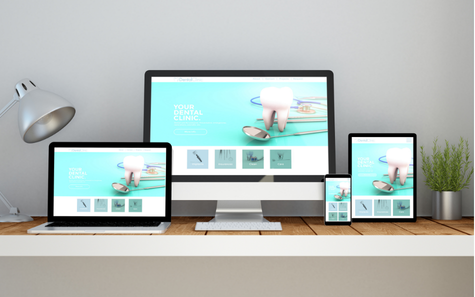
A clinic website gives healthcare providers an opportunity to present this information while offering a direct way to book.
Why Patients Use Website Booking
Website booking is particularly useful for patients who are still exploring their options.
Before arranging an appointment, they may want to:
- Review the clinic’s medical services and specialities.
- Explore doctor profiles and qualifications.
- Check clinic locations and working hours.
- Find out which insurance providers are accepted.
- Understand available appointment types.
- Request an appointment without calling reception.
A well-designed booking page allows patients to complete these steps in one place.
It also gives clinics an opportunity to receive appointment requests outside normal working hours. A patient browsing the website late at night can submit a request without waiting for reception to open.
Advantages of Website Booking for Clinics
1. Reaches patients searching online
A website supports the clinic’s digital presence and helps prospective patients discover its services through search engines.
2. Provides detailed information
Unlike a short message, a website can explain services, introduce doctors, display locations and answer common questions before the patient books.
3. Reduces repetitive enquiries
If patients can find working hours, locations, insurance information and available services online, reception staff may spend less time answering basic questions.
4. Supports structured appointment requests
A booking form can collect useful information, such as the patient’s name, contact number, preferred doctor, service and requested date.
Where Website Booking Can Fall Short
Having a booking button does not necessarily mean a clinic has an automated booking system.
Some websites only provide a request form. Patients submit their preferred appointment time, but reception must still contact them to confirm availability.
This creates an additional step and can lead to delays, particularly when several requests arrive simultaneously.
A form can also become ineffective when nobody monitors the submissions. A patient who receives no response may simply contact another clinic.
Another challenge is that website bookings may remain separate from the clinic’s internal appointment calendar. If reception has to enter every request manually, the process is not fully connected.
What an Effective Website Booking System Should Include
A more effective solution should allow patients to view relevant availability, select a suitable appointment and receive confirmation.
Most importantly, once an appointment is confirmed, it should automatically appear in the clinic’s central scheduling system.
This eliminates the need for reception to transfer information between the website and the clinic calendar manually.
2. WhatsApp Booking: Convenience Through a Familiar Channel
WhatsApp has become an important communication channel in the UAE, including for businesses and healthcare providers.
Patients already use it to communicate with family, colleagues and service providers. Contacting a clinic through the same application can therefore feel more convenient than navigating a separate booking platform.
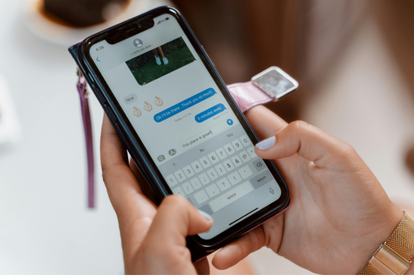
For clinics, WhatsApp offers a direct communication channel that can support appointment enquiries, booking requests, confirmations and follow-ups.
Why Patients Prefer WhatsApp Appointment Booking
Not every patient wants to complete an online form.
Some have a quick question before booking. Others want to ask whether a particular doctor is available, confirm the clinic’s location or check whether their insurance is accepted.
WhatsApp makes these conversations straightforward.
Patients can:
- Ask about available appointment times.
- Request a specific doctor or speciality.
- Share their preferred date and time.
- Confirm or change an existing appointment.
- Receive booking confirmations and reminders.
- Ask general questions before visiting.
It can also make communication easier for patients who are more comfortable writing in Arabic or another language supported by the clinic’s team.
Advantages of WhatsApp Booking for Clinics
1. Familiarity and accessibility
Patients do not need to learn how to use a new platform. They can contact the clinic through an application they already know.
2. Direct communication
Reception can clarify appointment details, answer questions and understand patient preferences during the booking conversation.
3. Faster responses to simple enquiries
With suitable automated responses, clinics can provide information about working hours, locations, services and booking procedures without requiring staff to answer every repetitive question individually.
4. Appointment reminders and follow-ups
WhatsApp can support reminders and appointment-related communication, helping patients keep track of upcoming visits.
The Challenges of WhatsApp-Only Booking
Although WhatsApp is convenient, managing appointments entirely through chat can become difficult as a clinic grows.
Consider a receptionist handling several conversations at once. One patient requests an appointment with a doctor at 4 PM, another asks to reschedule an existing visit, and a third wants to know whether a morning slot is available.
If the receptionist relies on chat history and manual calendar updates, important details can easily be overlooked.
Common problems include:
- Booking requests getting buried in busy conversations.
- Two receptionists confirming the same appointment slot.
- Delays in responding to messages outside working hours.
- Difficulty tracking pending appointment requests.
- Missing updates when patients cancel or reschedule.
- Limited visibility into the number of bookings received through WhatsApp.
Personal WhatsApp accounts can make the situation even more complicated because conversations and booking information may remain with individual employees rather than the clinic.
How Clinics Should Manage WhatsApp Bookings
WhatsApp should function as an entry point into the clinic’s appointment management process, not as a replacement for the scheduling system.
When a patient requests an appointment, reception should check the central calendar, identify an available slot and confirm the booking through the appropriate channel.
Where supported, integration with a WhatsApp Business solution or chatbot can make this process more efficient.
For example, an automated conversation could guide patients through selecting a speciality, doctor and preferred appointment time. The booking system can then check availability and record the confirmed appointment.
The important part is that WhatsApp conversations must result in properly recorded appointments.
3. Mobile App Booking: A Dedicated Experience for Existing Patients
Mobile applications offer another way for healthcare providers to make appointment management more accessible.
Unlike a website, which is generally designed to introduce the clinic to a broad audience, a patient-facing application can support an ongoing relationship between the patient and healthcare provider.
Patients can use an application to access services, manage appointments and, depending on the platform, view additional healthcare information.
The UAE’s healthcare sector already demonstrates the importance of this approach. In October 2024, the Department of Health – Abu Dhabi launched Sahatna, an integrated healthcare application that includes appointment booking, teleconsultations and access to health records.
This demonstrates how mobile applications can become part of a wider digital healthcare experience.

Why Patients Use Healthcare Booking Apps
Applications can be particularly useful for patients who regularly visit the same healthcare provider.
Instead of searching for the clinic’s website or starting a new WhatsApp conversation every time, they can access a dedicated platform.
Depending on the application’s features, patients may be able to:
- View available doctors and appointment slots.
- Book new appointments.
- Review upcoming and previous visits.
- Request appointment changes or cancellations.
- Receive notifications and reminders.
- Access selected healthcare services and records.
This can be especially useful for patients attending recurring appointments, such as physiotherapy sessions, dental follow-ups or chronic care consultations.
Advantages of App-Based Booking
1. A consistent patient experience
A dedicated application can provide a familiar interface for returning patients, making repeat bookings easier.
2. Access to additional services
An application may offer more than appointment scheduling. It can become a central point for patient communication and selected healthcare services.
3. Notifications and reminders
Push notifications can help patients stay informed about upcoming appointments and other relevant updates.
4. Better support for patient engagement
A dedicated platform can encourage patients to remain connected with the healthcare provider between visits.
The Challenges of Building an App-Based Booking System
A mobile application is not automatically the best option for every clinic.
One important consideration is adoption. Patients may not want to download another application simply to book a single appointment.
Some may prefer using the clinic’s website, while others are more comfortable with WhatsApp.
Clinics must also consider the cost of developing, maintaining and updating an application. A dedicated app requires ongoing technical support, security considerations and a clear reason for patients to keep using it.
Another important consideration is integration.
If the mobile application operates independently from the clinic’s appointment calendar, staff will still need to reconcile bookings manually.
An application should therefore be evaluated based on how well it connects with the clinic’s existing operations, not just how attractive or convenient its interface looks.
Website vs. WhatsApp vs. App Booking: Which Is Better?
Each booking channel serves a different purpose. Rather than selecting one as the only option, clinics should understand where each channel adds the most value.
| Booking channel | Best suited for | Main advantage | Main challenge |
|---|---|---|---|
| Website | New and prospective patients | Service discovery and direct booking | Forms may require manual confirmation |
| Quick enquiries and appointment requests | Familiar, direct communication | Conversations can become difficult to track | |
| Mobile app | Returning and regular patients | Convenient access to ongoing services | Requires patient adoption and maintenance |
Which Channel Should a Clinic Prioritise?
The answer depends on the clinic’s patient demographics, specialities, operational capacity and existing digital infrastructure.
A new clinic may benefit from prioritising its website because prospective patients need to discover its services and understand what it offers.
A clinic that receives a high volume of WhatsApp enquiries may benefit from improving its messaging and booking workflow.
A multi-branch healthcare group with a large returning patient base may find a dedicated application useful for providing a consistent experience across locations.
However, one principle applies to all three: the booking channel should never determine where the appointment is stored.
Patients should have the flexibility to choose how they book, while clinic staff should have one reliable place to manage every appointment.
4. The Real Challenge: Managing All Bookings in One Calendar
Offering several booking channels can improve accessibility, but it can also increase the workload for reception if each channel operates independently.
Imagine a clinic that accepts bookings through its website, WhatsApp and mobile application.
A patient books through the website at 10 AM. Another contacts reception through WhatsApp and requests the same slot. Meanwhile, an existing patient uses the mobile app to reschedule an appointment into that time.
If these channels are not connected, reception may not know that the slot has already been taken.
This can result in double bookings, scheduling conflicts, unnecessary calls and a frustrating patient experience.
The solution is centralised appointment management.
What Is a Centralised Appointment Calendar?
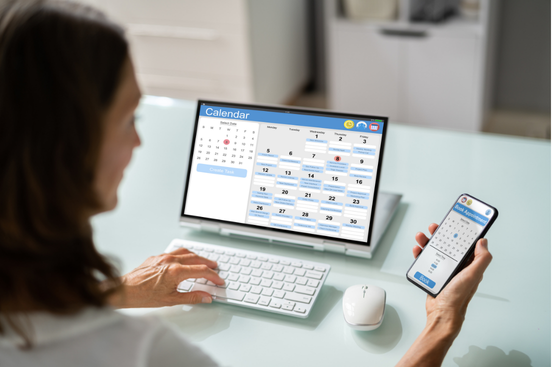
A centralised appointment calendar brings all confirmed bookings into one scheduling system.
Instead of maintaining separate schedules for website enquiries, WhatsApp conversations, app bookings and phone calls, the clinic uses one calendar to manage availability.
Each booking channel connects to the same appointment information.
For example:
- A website booking updates the central calendar.
- A confirmed WhatsApp booking appears in the same calendar.
- An app booking updates the same doctor’s availability.
- A receptionist booking a patient over the phone also uses that calendar.
When a slot is booked, its availability should be updated across all connected channels.
This helps prevent two patients from being assigned the same appointment time.
How a Unified Booking Workflow Should Work
A well-organised booking process should follow a consistent sequence, regardless of how the patient contacts the clinic.
Step 1: The patient chooses a booking channel
The patient visits the website, sends a WhatsApp message, uses a mobile app or contacts reception by phone.
Step 2: The system checks appointment availability
The clinic’s scheduling system checks the selected doctor’s calendar, working hours and available appointment slots.
Step 3: The patient selects a suitable appointment
The patient chooses an available time based on the clinic’s scheduling rules and the required service.
Step 4: The appointment is recorded
Once confirmed, the appointment is entered into the central calendar. If the booking channel supports direct integration, this should happen automatically.
Step 5: The patient receives confirmation
The clinic sends a confirmation through an appropriate channel, such as WhatsApp, SMS or an application notification.
Step 6: The appointment remains manageable
If the patient cancels or requests a change, the central calendar is updated so that staff can see the latest appointment status and manage availability accordingly.
The same process should apply regardless of where the booking originated.
5. How a Unified Calendar Improves Clinic Operations
Centralising appointment information is not just about preventing double bookings. It also improves how the clinic manages its daily activities.
Better Visibility for Reception Teams
Reception staff should not have to check multiple platforms to understand a doctor’s schedule.
A central calendar allows them to view appointments, identify available slots and manage changes from one place.
This is particularly important during busy periods when several staff members may be handling patient enquiries simultaneously.
Fewer Scheduling Conflicts
When every confirmed appointment updates the same calendar, staff have a clearer view of available slots.
This reduces the risk of confirming appointments that conflict with existing bookings.
More Efficient Appointment Changes
Cancellations and rescheduling requests are easier to manage when the original appointment is recorded centrally.
Once a booking is changed, the previous slot can become available again, subject to the clinic’s scheduling rules.
Improved Patient Communication
A connected booking process makes it easier to send confirmations and reminders.
Patients receive more consistent information, while reception staff have better visibility into upcoming appointments and pending changes.
Better Appointment Reporting
Centralised booking information can help clinic managers understand how appointments are being managed.
For example, clinics can review:
- Total appointments booked during a selected period.
- Appointment cancellations and rescheduling.
- No-show rates.
- Doctor availability and utilisation.
- Appointment volumes by branch.
- Booking activity across different channels, where the booking source is recorded.
These insights can help management identify scheduling bottlenecks, understand patient demand and make better staffing decisions.
6. What Multi-Branch Clinics Should Consider
For clinics operating across multiple locations, centralised appointment management becomes even more important.
A patient may contact the main branch through WhatsApp but request an appointment at another location. Another patient may use the website to select a doctor who works at more than one branch.
Without a connected system, reception teams may have difficulty identifying the correct schedule and available location.
A suitable clinic appointment management system should allow authorised staff to view the relevant branch calendars while maintaining clear scheduling rules for each location.
Clinics should consider the following:
Branch-specific availability: Each location should have its own working hours, doctor schedules and appointment availability.
Doctor schedules across branches: If a doctor works at multiple locations, their availability should be managed carefully to avoid overlapping appointments.
Centralised management visibility: Management should be able to review appointment activity across branches without losing the ability to examine individual locations.
Consistent booking procedures: Patients should have a similar booking experience regardless of which branch they choose.
Clear staff permissions: Receptionists should have access to the schedules they need, while managers can have broader visibility where appropriate.
A centralised system does not mean every branch must share the same schedule. It means all relevant schedules should be managed through a connected platform.
7. Practical Steps to Connect Website, WhatsApp and App Bookings
Moving towards a unified booking process does not necessarily require a complete operational overhaul.
Clinics can start by reviewing how appointments are currently received and identifying where information is being duplicated or lost.
Here are practical steps to consider.
Step 1: Review Your Existing Booking Channels
Identify every way patients can currently request or confirm appointments.
Include the clinic website, WhatsApp Business, mobile applications, telephone calls, social media enquiries and walk-in requests.
The objective is to understand where appointment information enters the clinic.
Step 2: Identify Manual Processes
Determine which bookings require staff to transfer information manually.
For example, does reception receive a website request by email and then enter it into the clinic calendar? Are WhatsApp appointments written down before being added to the scheduling system?
These processes can introduce delays and increase the possibility of errors.
Step 3: Choose a Central Appointment Management System
Select a clinic management solution that supports the scheduling requirements of your facility.
Consider doctor availability, branch management, appointment types, staff permissions, cancellations and reporting.
If external booking platforms are involved, check whether they can integrate with the clinic’s system.
Step 4: Define a Consistent Booking Workflow
Decide how appointment requests should be handled.
Establish who confirms bookings, how availability is checked, how cancellations are processed and how patients receive confirmations.
Staff should follow the same core procedure regardless of the original booking channel.
Step 5: Test Every Booking Channel
Before introducing changes to patients, test the entire process.
Create a website booking, submit a WhatsApp request and make an app booking. Check whether each confirmed appointment appears correctly in the central calendar.
Also test cancellations, rescheduling and situations where two patients attempt to book the same slot.
Step 6: Monitor Booking Performance
Review appointment data regularly to understand which channels generate the most bookings and where patients encounter difficulties.
The results can help the clinic decide where to improve its digital booking experience and whether additional automation is worthwhile.
8. Choosing the Right Clinic Booking Software in the UAE
Selecting booking software should involve more than comparing interfaces or looking at the number of available features.
For UAE healthcare providers, the system should support the clinic’s actual workflows, operational requirements and regulatory environment.
Before selecting a solution, consider the following:
Integrated appointment scheduling: The system should provide a central calendar for managing appointments across the clinic.
Multiple doctor and branch schedules: It should support different working hours, specialities, appointment types and locations.
Patient communication: Look for ways to support appointment confirmations, reminders and other relevant communication.
Booking channel compatibility: Confirm whether the software can connect directly to your website, WhatsApp solution or patient application. Do not assume that every system supports every integration.
User access and permissions: Staff should have access to the scheduling functions relevant to their responsibilities.
Reporting and analytics: Management should be able to review appointment volumes, cancellations, no-shows and other useful scheduling information.
Regulatory and data protection considerations: Patient information must be handled according to applicable UAE healthcare requirements and data protection obligations. Clinics should assess how booking information is collected, accessed, stored and shared.
A system that connects appointment scheduling with other clinic operations can also reduce the need to maintain separate records for different departments.
9. How Balsam Medico Supports Centralised Appointment Management
Managing appointments should not mean spending the day switching between different platforms and manually updating schedules.
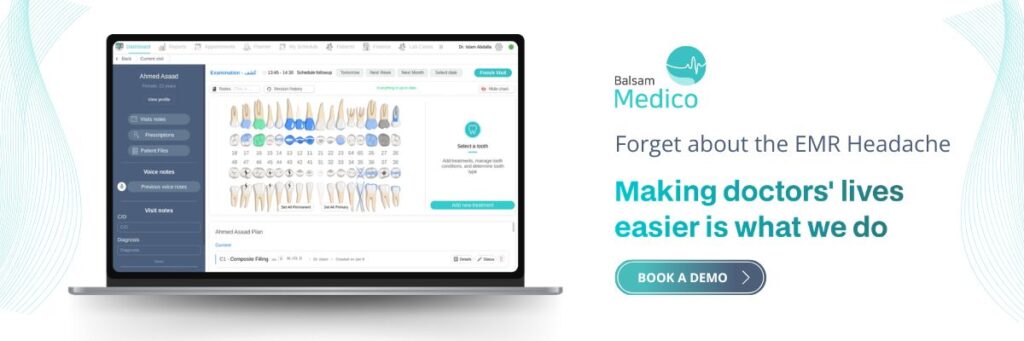
Balsam Medico provides clinics with a cloud-based clinic management system designed to bring essential operations together in one platform.
Its appointment and scheduling capabilities help clinic teams organise doctor schedules and manage patient appointments through a centralised system.
Instead of relying on disconnected records, clinic staff can work with a shared view of appointment information, supporting a more organised daily workflow.
For clinics looking to improve their booking operations, the important consideration is how appointment scheduling connects with the rest of the facility’s activities.
When appointments, patient records, billing and other operational processes are managed through a connected system, staff can spend less time transferring information and more time supporting patients.
Whether a patient discovers the clinic through its website, contacts reception through WhatsApp or uses a dedicated booking application, the objective remains the same: making sure confirmed appointments are properly recorded and accessible to the relevant staff.
Clinics should assess their required external integrations and booking workflows to determine how each channel can connect with their existing Balsam Medico setup.
Conclusion: Give Patients More Ways to Book, Not More Places to Manage
Website booking, WhatsApp and mobile applications each offer different advantages.
Websites help patients discover clinics and explore services. WhatsApp makes communication convenient and supports quick appointment enquiries. Mobile applications can provide returning patients with a dedicated way to manage their healthcare interactions.
The challenge is not deciding which channel is best. It is ensuring that all three contribute to one organised appointment management process.
For UAE clinics, a connected booking experience means patients can use the channel they prefer without creating additional administrative work for reception teams.
By bringing confirmed appointments into one central calendar, clinics can reduce scheduling conflicts, improve visibility, streamline communication and make better use of their staff’s time.
Ultimately, a better booking experience begins with patient convenience but succeeds through organised clinic operations.
Explore how Balsam Medico can help your clinic manage appointments and daily operations through one connected platform.
Connect with Us
Ready to embark on this exciting journey? Contact us today:
📍 Dubai, United Arab Emirates – Tel: +971 56 640 9602
📍 Khartoum, Sudan – Tel: +249 91 273 1048
Explore Balsam Medico and discover a world of efficient clinic management at www.balsammedico.com. Together, let’s reduce fines, elevate efficiency, and embrace a new era of dental healthcare.
One last thing..
PS: We built Balsam Medico to be the best software for clinics in UAE and the middle east. It is powerful, flexible, and most importantly, very easy to use.
If you have two minutes, see how it works.
This is the main landing page to learn more.