Rayan Farouk
A patient receives an appointment reminder by email but never opens it. Another receives an important document through WhatsApp but cannot find it when needed. A third receives a phone call about a routine appointment confirmation that could have been handled with a simple message.
These situations might seem minor, but they highlight a common challenge in healthcare: choosing the right communication channel for the right message.
Clinics communicate with patients throughout the day. From appointment reminders and booking confirmations to invoices, medical reports, follow-up instructions and general enquiries, every interaction requires a suitable communication method.
However, not every message belongs on the same platform.
SMS is useful for short reminders. Email is better for formal documents. WhatsApp makes everyday communication easier, while phone calls are more appropriate for sensitive or complicated conversations.
The challenge is not simply deciding which channels a clinic should use. It is understanding when to use each one.
A clear communication strategy helps clinics reduce missed messages, improve patient engagement, avoid unnecessary calls and create a smoother experience for both patients and staff.
This guide introduces a practical framework for choosing the right communication channel based on the message, its urgency, the information involved and the patient’s needs.
Why Choosing the Right Communication Channel Matters
Patient communication is more than sending information from the clinic to someone receiving treatment. It is an important part of the overall patient experience.
Think about how many messages a clinic sends in a typical day:
- Appointment booking confirmations.
- Reminders for upcoming visits.
- Changes to appointment schedules.
- Requests for missing patient information.
- Invoices and payment notifications.
- Medical reports and documents.
- Follow-up instructions.
- Answers to general patient enquiries.
- Promotional offers and clinic announcements.
Sending all these messages through one channel may seem convenient, but it does not necessarily make communication effective.
For example, a lengthy medical document sent through SMS is impractical. A routine appointment reminder that requires a phone call creates unnecessary work for reception staff. Similarly, sending a time-sensitive update through email may not be effective if the patient rarely checks their inbox.
The right channel makes communication easier to receive, understand and act on.
1. Improve Patient Engagement
Patients are more likely to respond when messages reach them through channels they regularly use.
A short appointment reminder delivered through a familiar messaging application may receive a quicker response than an email that gets buried among promotional messages.
Choosing familiar and accessible channels helps clinics encourage patients to confirm appointments, respond to requests and stay informed.

2. Reduce Administrative Work
Receptionists and customer service teams spend considerable time communicating with patients.
When every reminder, confirmation or general enquiry requires manual attention, staff members have less time for other responsibilities.
Using suitable digital channels and automated communication can reduce repetitive tasks and allow employees to focus on patients who need direct assistance.
3. Avoid Miscommunication
The format of a message affects how easily someone understands it.
A short SMS is ideal for a simple notification, while a formal email provides more space for explanations, attachments and important details.
Using the wrong channel can result in incomplete information, missed instructions or unnecessary back-and-forth communication.
4. Build a More Professional Patient Experience
Consistency matters.
When patients know where to expect appointment reminders, how to request information and where to receive official documents, communication becomes more predictable.
A structured approach also helps different departments follow the same communication standards instead of making individual decisions every time they contact a patient.
The Four Main Communication Channels and When to Use Them
A practical clinic communication strategy starts with understanding what each channel does best.
SMS, email, WhatsApp and phone calls all serve different purposes. Rather than choosing one and using it for everything, clinics should assign each channel a clear role.
1. SMS: Best for Short Reminders and Notifications
SMS remains a useful communication channel, particularly when a message needs to be short, direct and easy to receive.
Unlike email, SMS does not require patients to open an inbox or use a particular messaging application. It is also suitable for basic notifications that do not require lengthy explanations.
When should clinics use SMS?
SMS works particularly well for:
- Appointment reminders.
- Booking confirmations.
- Appointment date and time changes.
- Payment reminders.
- Short follow-up notifications.
- Important updates requiring quick attention.
For example, a clinic can send a reminder the day before an appointment:
“Dear Sarah, this is a reminder of your appointment at ABC Clinic tomorrow at 10:00 AM. Please contact us if you need to reschedule.”
The message is short, clear and provides the information the patient needs.
Why SMS Works for Reminders
The main advantage of SMS is simplicity.
Patients do not need to download an application, create an account or navigate through a complicated process to read a message.
It is particularly helpful for patients who prefer traditional text messaging or do not use internet-based messaging applications regularly.
SMS is also useful as an alternative when a patient cannot be reached through another communication channel.

What Should Clinics Avoid Sending Through SMS?
SMS has limitations.
It is not designed for lengthy explanations, large attachments or detailed medical information.
Clinics should avoid using SMS to send extensive medical instructions, reports or sensitive patient information.
It is also important to keep messages concise and avoid including unnecessary personal details.
The takeaway: Use SMS when the message is short, straightforward and does not require a detailed response.
2. Email: Best for Formal Documents and Detailed Information
Email is one of the most established communication methods in healthcare.
While it may not always be the fastest way to reach a patient, it is particularly useful when communication involves documents, detailed explanations or information that patients may need to refer to later.
When should clinics use email?
Email is suitable for:
- Medical reports and documents, where permitted.
- Invoices and payment statements.
- Official clinic correspondence.
- Detailed appointment instructions.
- Treatment estimates and quotations.
- Administrative forms.
- Insurance-related documentation.
- Patient information that requires a longer explanation.
For example, when a patient requests a copy of a medical report, email may be more appropriate than a short text message.
It provides a structured format for sending the document, adding an explanation and keeping a record of the communication.
Why Email Works for Documents
Email supports attachments and longer messages, making it useful for communication that requires more context.
It also allows clinics to maintain organized correspondence, particularly when dealing with administrative matters.
Patients can search their inbox for previous messages and retrieve documents when needed.
Another advantage is its professional format. Formal correspondence, financial statements and detailed explanations can be presented clearly without overwhelming the recipient.
What Should Clinics Avoid Sending Through Email?
Email is not always the best choice for urgent communication.
Patients may not check their inbox regularly, and important messages can get lost among newsletters, promotions and other correspondence.
Clinics should also consider the security of the email service, recipient verification and applicable healthcare privacy requirements before sending patient information.
Medical reports and other confidential documents should only be shared through approved, appropriately protected processes.
The takeaway: Use email when the message contains formal documents, attachments or detailed information that patients may need to keep.
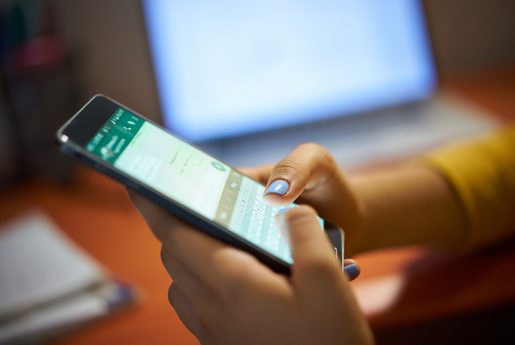
3. WhatsApp: Best for Quick Queries and Everyday Communication
WhatsApp has become part of everyday communication for millions of people.
Patients use it to speak with family, friends, colleagues and businesses. For many, checking WhatsApp is already part of their daily routine.
This makes it a particularly convenient channel for clinics that want to communicate with patients without introducing another unfamiliar platform.
When should clinics use WhatsApp?
WhatsApp is suitable for:
- General patient enquiries.
- Appointment booking requests.
- Appointment confirmations.
- Rescheduling requests.
- Clinic location and working hours.
- Basic administrative questions.
- Follow-up communication.
- Sharing approved documents through secure and appropriate processes.
- Patient engagement and promotional messages with the required consent.
For example, a patient might send a quick message asking:
“Hi, do you have any available appointments with the dentist tomorrow?”
The reception team can check the schedule and respond without requiring a phone call.
Similarly, a patient who needs directions to the clinic can receive the location directly through WhatsApp.
Why WhatsApp Works for Everyday Communication
The biggest advantage of WhatsApp is familiarity.
Most patients already know how to use it. They do not need to learn a new application or remember another login.
It also supports more than simple text messages. Clinics can use it to communicate through text, images, voice notes, documents and other supported formats.
This makes it convenient for conversations that may require more than one message.
Another advantage is the conversational experience.
Instead of receiving a one-way notification, patients can ask questions and receive responses through the same channel.
For clinics, this can make everyday communication feel more accessible and less formal without compromising professionalism.
What Should Clinics Avoid Sending Through WhatsApp?
WhatsApp is convenient, but convenience should not replace privacy considerations.
Clinics must ensure that their WhatsApp communication processes comply with applicable healthcare data protection requirements.
Staff should avoid discussing sensitive medical matters through ordinary chat conversations without an appropriate approved process.
Before sending invoices, reports or other confidential documents, clinics should verify the recipient, obtain any required consent and follow the clinic’s approved information-sharing procedures.
Marketing messages should also be sent only in accordance with applicable consent and communication requirements.
The takeaway: Use WhatsApp for quick, everyday communication, general enquiries and convenient patient interactions.
4. Phone Calls: Best for Sensitive or Complicated Matters
Despite the growth of digital communication, phone calls remain important in healthcare.
Some conversations require a human touch, immediate clarification or a level of sensitivity that a text message cannot provide.
For example, informing a patient about a complicated administrative issue or discussing a sensitive concern may be better handled through a direct conversation.
When should clinics use phone calls?
Phone calls are particularly appropriate for:
- Sensitive patient matters.
- Complex appointment changes.
- Urgent administrative concerns.
- Complaints requiring personal attention.
- Situations involving misunderstandings.
- Conversations that require immediate clarification.
- Matters where the patient specifically requests a call.
Why Phone Calls Still Matter
A phone call allows both parties to communicate immediately.
Patients can ask follow-up questions, explain their concerns and receive clarification without waiting for several messages.
It also allows staff members to respond with empathy and adjust their communication based on the patient’s reactions.
This is particularly important when handling complaints or situations where patients may feel worried, frustrated or confused.
What Should Clinics Avoid Using Phone Calls For?
Phone calls are not always the most efficient option for simple administrative tasks.
Calling every patient to confirm an appointment or provide the clinic’s working hours can consume a considerable amount of staff time.
These interactions can often be handled through SMS or WhatsApp.
Clinics should also avoid assuming that a phone call alone provides an adequate record of important communication. Relevant outcomes should be documented according to the clinic’s procedures.
The takeaway: Use phone calls when communication requires personal attention, empathy, immediate discussion or careful clarification.
A Simple Decision Framework for Choosing the Right Channel
Understanding each channel is only the first step. Clinics also need a consistent way to decide which one to use.
A simple framework can help receptionists, customer service representatives and administrative staff make the right decision without overthinking every interaction.
Before sending a message, consider four questions:
Question 1: How Urgent Is the Message?
Start by identifying how quickly the patient needs to receive the information.
If the message is a routine appointment reminder, SMS or WhatsApp may be sufficient.
If an urgent matter requires an immediate response, a phone call may be more appropriate.
Email is generally better for information that does not require an immediate response.
Question 2: How Much Information Does the Message Contain?
The length and format of the message should influence the channel.
A short notification does not need a lengthy email. Similarly, a detailed document should not be reduced to a few lines of text.
Consider the following:
- One or two sentences: SMS or WhatsApp.
- A quick question or conversation: WhatsApp.
- A document or detailed explanation: Email.
- A complicated discussion: Phone call.
Question 3: Does the Message Contain Sensitive Information?
This is particularly important in healthcare.
Before choosing a channel, consider whether the message contains personal, financial or medical information.
If it does, the clinic must follow its approved privacy and security procedures.
The fact that a platform supports document sharing does not automatically mean it is appropriate for every type of patient information.
Staff should verify patient identity where necessary and use approved communication methods for confidential information.
Question 4: Does the Patient Need to Respond?
Some messages simply provide information, while others require an action.
For example:
- An appointment reminder may require confirmation.
- A booking enquiry requires a response.
- A medical report may simply need to be delivered securely.
- A complaint may require a direct conversation.
Choose a channel that makes it easy for the patient to complete the required action.
If the patient needs to reply, a conversational platform may be more convenient than a one-way notification.
The Clinic Communication Decision Matrix
The following table summarizes how clinics can assign a primary communication channel to common patient interactions.
| Type of communication | Recommended channel | Why? |
|---|---|---|
| Appointment reminder | SMS | Short and direct |
| Booking confirmation | SMS or WhatsApp | Easy to receive |
| Appointment rescheduling | Allows quick replies | |
| General enquiries | Convenient conversation | |
| Clinic location and working hours | Easy to share | |
| Invoices and statements | Email or approved WhatsApp process | Suitable for documents |
| Medical reports | Approved secure channel | Protects patient information |
| Detailed administrative information | Supports longer explanations | |
| Patient complaints | Phone call | Allows personal attention |
| Sensitive discussions | Phone call | More suitable for empathy and clarification |
| Marketing announcements | WhatsApp or email | Supports patient engagement with consent |
The table should be treated as a starting point rather than a strict rulebook. Patient preferences, urgency, confidentiality and clinic policies may change the appropriate choice.
How Clinics Can Create a Consistent Communication Policy
A communication strategy is only effective when everyone follows it.
Without clear guidelines, different employees may use different channels for similar situations.
One receptionist might send appointment reminders through SMS, while another calls every patient. A third might send lengthy administrative explanations through WhatsApp.
This creates inconsistency and makes it harder to manage patient expectations.
A written communication policy can solve this problem.
1. Assign a Primary Channel to Each Message Type
Start by listing the most common types of patient communication within the clinic.
Assign a preferred channel to each one.
For example, all routine appointment reminders could be sent through SMS or WhatsApp, while formal documents follow the clinic’s approved document-sharing process.
This gives staff a clear starting point.
2. Establish Response Time Expectations
Patients should have a reasonable idea of when they can expect a response.
For example:
- WhatsApp enquiries: Within the clinic’s stated response hours.
- Email enquiries: Within one business day, depending on the clinic’s policy.
- Phone calls: Answered during reception hours.
- Automated reminders: Sent according to a predefined schedule.
These expectations should reflect the clinic’s actual staffing and operating hours.
It is better to communicate realistic response times than to promise immediate replies that the team cannot consistently deliver.
3. Define Who Handles Each Channel
Communication responsibilities should be clearly assigned.
For example, reception staff may handle appointment-related WhatsApp messages, while administrative staff manage invoices and documentation.
Complaints or sensitive matters may need to be escalated to a clinic manager or another appropriate team member.
This prevents messages from being overlooked and ensures that patients reach the right person.
4. Keep Communication Consistent
Clinics should use approved message templates for common interactions.
Appointment confirmations, reminders, payment notifications and general responses should follow a consistent tone.
Templates save time and reduce the possibility of staff members forgetting important details.
However, templates should not make communication feel robotic. Staff should still personalize messages when necessary.
5. Respect Patient Preferences
Not every patient prefers the same communication method.
Some patients may prefer SMS, while others regularly use WhatsApp or email.
During registration or appointment booking, clinics can ask patients for their preferred contact method and record their communication preferences.
This helps staff choose a suitable channel while respecting patient expectations.
6. Review Communication Performance
A communication policy should not remain unchanged forever.
Clinics should regularly review how effective their channels are.
Useful indicators include:
- Appointment confirmation rates.
- Missed appointment rates.
- Patient response times.
- Unanswered enquiries.
- Number of manual calls made.
- Patient complaints related to communication.
- Message delivery and response rates, where available.
These indicators help clinics understand which channels are working and where improvements are needed.
Common Communication Mistakes Clinics Should Avoid
Even clinics with multiple communication channels can struggle when those channels are not used properly.
Here are some common mistakes worth addressing.
Using Every Channel for Everything
Sending the same message through SMS, email and WhatsApp can overwhelm patients.
It may also create confusion about which message requires a response.
Instead, assign a primary channel to each type of communication and use an alternative only when necessary.
Sending Messages Without a Clear Purpose
Every message should have a reason.
Patients should understand why they are receiving it and whether they need to do anything.
For example, an appointment reminder should clearly state the appointment date, time and clinic details.
Ignoring Unanswered Messages
A message sent does not necessarily mean a message received or understood.
Clinics should have a process for handling unanswered enquiries and failed communication attempts.
If a patient does not respond to an important message, staff may need to follow up through another suitable channel.
Sending Sensitive Information Through Inappropriate Channels
Patient confidentiality should always come first.
Clinics should never assume that a popular communication platform is automatically suitable for sharing every type of medical information.
Use approved systems, verify recipients and follow applicable privacy requirements.
Making Communication Too Complicated
Patients should not have to navigate several platforms just to confirm an appointment or ask a basic question.
The fewer unnecessary steps involved, the easier it becomes for patients to communicate with the clinic.
Why WhatsApp Is Becoming an Important Communication Channel for Clinics
While each communication channel has its place, WhatsApp deserves particular attention.
Think about how people communicate today.
Most patients already have WhatsApp installed on their phones. They use it every day to speak with family, friends and businesses.
They do not need to download another application or learn a new system just to communicate with their clinic.
This familiarity creates an opportunity for healthcare providers to make patient communication easier.
Instead of relying entirely on traditional calls and scattered messages, clinics can use WhatsApp as a central point for everyday patient interactions.
One Familiar Platform for Multiple Communication Needs
WhatsApp can support several communication activities within a clinic.
Appointment reminders: Patients can receive reminders about upcoming visits without requiring reception staff to call everyone individually.
Booking confirmations: Patients can receive confirmation messages and important appointment details.
Quick enquiries: Patients can ask about clinic timings, available appointments, locations and other general information.
Marketing communication: Clinics can share approved announcements, offers and updates with patients who have provided the required consent.
Document sharing: Where supported by the clinic’s approved processes, invoices and medical documents can be shared through WhatsApp with appropriate verification and privacy safeguards.
Instead of switching between several platforms for routine interactions, clinics can make everyday communication more convenient through one familiar channel.
WhatsApp Chatbots: Making Clinic Communication More Efficient
Having a WhatsApp account is useful, but managing every conversation manually can become difficult as a clinic grows.
Receptionists may receive dozens of enquiries throughout the day. Some patients want to book appointments, others ask about working hours, and many simply need answers to frequently asked questions.
This is where a WhatsApp chatbot becomes valuable.
A WhatsApp chatbot can automate common interactions and provide patients with information without requiring a staff member to respond to every message individually.
1. Answer Frequently Asked Questions
Patients often ask the same questions:
- What are your clinic timings?
- Where is the clinic located?
- Do you accept my insurance?
- Which doctors are available?
- How can I book an appointment?
A chatbot can provide predefined answers to common enquiries, reducing repetitive work for reception staff.
2. Support Appointment Enquiries
A chatbot can guide patients through basic appointment enquiries and help collect the information required for the next step.
This makes it easier for patients to start the booking process without waiting for a receptionist to become available.
Depending on the integration, appointment requests can also be connected to the clinic’s scheduling workflow.
3. Reduce Repetitive Administrative Tasks
Automating routine responses gives receptionists more time to handle complex enquiries, assist patients at the clinic and manage situations that require personal attention.
The goal is not to remove human communication. It is to make sure that employees spend less time answering the same basic questions.
4. Provide a More Consistent Experience
A chatbot follows predefined responses and workflows.
This helps ensure that patients receive consistent information about clinic services, working hours and general administrative processes.
More complicated or sensitive enquiries can be directed to the appropriate staff member.
5. Make Communication Available Beyond Reception Hours
A chatbot can provide automated responses to common questions outside normal reception hours, depending on its configuration.
For example, a patient messaging the clinic late in the evening may still receive information about its working hours or how to request an appointment.
This gives patients a convenient starting point without suggesting that a staff member is available around the clock.
How Balsam Medico Helps Clinics Simplify Patient Communication
At Balsam Medico, we believe that effective patient communication should be simple, accessible and connected to the clinic’s daily operations.
That is why we recommend WhatsApp and WhatsApp Chatbot as valuable tools for modern clinics.
After all, almost everyone and their mother has a WhatsApp account, and most people use it every day.
Patients are already familiar with the platform. Clinics do not have to convince them to download another application or learn a completely new way of communicating.
More importantly, WhatsApp can support several communication needs in one familiar place.
With Balsam Medico, clinics can use WhatsApp for:
- Appointment reminders: Keep patients informed about their upcoming visits.
- Marketing messages: Share clinic announcements, offers and updates with patients who have opted in.
- Patient communication: Make it easier for patients to send enquiries and receive responses.
- WhatsApp Chatbot: Automate common enquiries and reduce repetitive administrative work.
- Invoices and medical reports: With the advanced plan, clinics can also send invoices and medical reports through WhatsApp, subject to appropriate patient verification, consent and applicable data protection requirements.
This creates a more connected communication experience, allowing clinics to manage everyday patient interactions through a platform patients already know and use.
Rather than relying on multiple disconnected communication methods, clinics can simplify routine interactions while keeping more complicated and sensitive matters with the appropriate staff members.
The result is a communication approach that is convenient for patients and more manageable for clinic teams.
Final Thoughts: Better Communication Starts with the Right Channel
Choosing the right communication channel is not about replacing traditional methods with newer technology.
SMS, email, WhatsApp and phone calls all have important roles in healthcare.
The key is understanding what each channel does best.
Use SMS for short reminders, email for formal documents, WhatsApp for everyday enquiries and phone calls for sensitive or complicated matters.
Most importantly, establish clear guidelines so that everyone in the clinic follows the same approach.
And when it comes to making everyday communication easier, WhatsApp and WhatsApp Chatbot offer clinics an opportunity to meet patients where they already are.
With the right communication strategy and the right clinic management system, staying connected with patients does not have to be complicated.
Better communication starts with one simple decision: choosing the right channel for the right message.
Connect with Us
Ready to embark on this exciting journey? Contact us today:
📍 Dubai, United Arab Emirates – Tel: +971 56 640 9602
📍 Khartoum, Sudan – Tel: +249 91 273 1048
Explore Balsam Medico and discover a world of efficient clinic management at www.balsammedico.com. Together, let’s reduce fines, elevate efficiency, and embrace a new era of dental healthcare.
One last thing..
PS: We built Balsam Medico to be the best software for clinics in UAE and the middle east. It is powerful, flexible, and most importantly, very easy to use.
If you have two minutes, see how it works.
This is the main landing page to learn more.